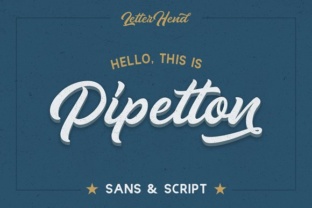
Pipetton: A Practical Font Duo for Modern Design Workflows
When you are building a brand, designing a website, or preparing marketing materials, the typefaces you choose can either elevate your message or undermine it. Many designers and business owners find themselves caught between choosing a single font that tries to do everything or juggling multiple typefaces that clash in tone and structure. Pipetton, a carefully crafted font duo from Letterhend, offers a practical middle ground. Rather than forcing you to mix mismatched fonts from different families, Pipetton provides two coordinated typefaces—one serif and one sans-serif—that are designed to work together from the start. This article explores what Pipetton is, the common challenges it helps solve, and how different users can put it to work in real projects.
What Pipetton Is and Why It Exists
Pipetton is a font duo created by the type foundry Letterhend. A font duo, in practical terms, is a pair of typefaces that share a similar design philosophy, weight structure, and visual rhythm, so they complement each other without competing. Pipetton includes a serif style and a sans-serif style, each available in multiple weights. This pairing allows you to create clear hierarchy in your layouts: use the serif for headings or accent text, and the sans-serif for body copy, or reverse the roles depending on the mood you want to convey.
The reason Pipetton exists is rooted in a common frustration. Many designers spend hours trying to pair fonts from different families, only to discover that the x-heights don't match, the stroke widths feel off, or the overall tone feels disjointed. Pipetton eliminates that guesswork. Because both fonts were drawn with the same underlying proportions, they sit comfortably together on the page. This is not a gimmick—it is a practical solution for anyone who needs to produce cohesive work quickly.
1. Inconsistent Brand Identity
When your brand materials use a serif for the logo, a sans-serif for the website, and a different font for print brochures, the result can feel scattered. Audiences notice inconsistency, even if they cannot name it. Pipetton helps you maintain a unified look across all touchpoints because you are essentially working with two fonts from the same family. Your social media graphics, business cards, and email newsletters can all share the same typographic DNA.
2. Time Spent Pairing Fonts
Font pairing is a skill that takes years to develop. Even experienced designers can spend hours testing combinations. For small business owners or DIY marketers, the task can feel overwhelming. Pipetton removes that barrier. You do not need to be a typography expert to use it effectively. The duo is pre-validated by its designer, so you can focus on content and layout instead of font matching.
3. Limited Weight Options
Many free or low-cost fonts come with only one or two weights. That forces you to rely on size alone to create hierarchy, which often looks amateurish. Pipetton offers multiple weights for both the serif and sans-serif styles. This lets you build a clear typographic scale: light for captions, regular for body text, bold for subheadings, and extra bold for headlines. The result is a more professional and readable design.
4. Readability Across Devices and Media
A font that looks elegant in print may be hard to read on a mobile screen. Conversely, a font built for screens may feel cold in a printed brochure. Pipetton is designed with versatility in mind. The sans-serif side works well for digital interfaces and small text, while the serif side adds warmth and personality for print or display use. Together, they cover a broad range of applications without requiring you to switch to a completely different typeface.
Graphic Designers and Freelancers
If you are a designer juggling multiple client projects, Pipetton can become a reliable tool in your workflow. Because the duo is neutral enough to suit many industries yet distinctive enough to add character, you can use it for branding, editorial layouts, posters, and web mockups. The multiple weights give you flexibility without bloat. You might use the serif in a heavier weight for a client's logo, then drop the sans-serif into their website body copy. The visual consistency saves you time and reduces the need for client revisions.
Practical tip: When presenting mood boards to clients, show them Pipetton in both styles early in the process. This sets clear expectations about the typographic direction and reduces back-and-forth later.
Small Business Owners and Entrepreneurs
If you run a small business, you likely wear many hats. You may not have a dedicated designer on staff. Pipetton is a good choice because it simplifies decision-making. You can build your entire brand around this one duo—from your logo and website to your product packaging and social media graphics. Because the fonts are coordinated, your brand will look more polished without requiring advanced design skills.
Practical suggestion: Start by using the sans-serif for your website body text and the serif for your headings. This gives you a clean, modern look that is easy to read. As you grow, you can introduce the other weights for specific uses like pull quotes or call-to-action buttons.
Content Creators and Bloggers
If you publish articles, newsletters, or digital content, readability is your top priority. Pipetton's sans-serif style works well for long-form reading, especially on screens. The serif style can be used for headings, bylines, or decorative elements that add personality without sacrificing clarity. The duo helps you create a professional-looking publication without needing a custom font license or complex design software.
Consideration: Test the font duo on your actual platform before committing. Most website builders and newsletter tools support custom fonts, but it is wise to check that the weights and styles you need are available in your chosen format.
Educators and Nonprofit Organizations
For organizations that produce informational materials—reports, flyers, infographics, or presentations—Pipetton offers a trustworthy and approachable look. The duo does not feel overly corporate or overly casual, which makes it suitable for communicating serious topics in an accessible way. You can use the serif for titles and the sans-serif for data-heavy content to guide the reader's eye naturally.
Branding Projects
A local coffee shop rebranding its identity could use Pipetton's serif for its logo and menu headings, and the sans-serif for its website and takeaway packaging. The result would feel cohesive and handcrafted without looking generic. A tech startup, on the other hand, might lean more heavily on the sans-serif for a clean digital-first appearance, using the serif sparingly for blog titles or investor deck covers.
Editorial and Print Design
In a printed magazine or brochure, the serif style of Pipetton can set a warm, readable tone for body text, while the sans-serif can handle sidebars, captions, and headers. The different weights allow you to create visual interest without adding decorative elements that distract from the content. This is especially useful for nonprofit reports or community newsletters where clarity matters more than flash.
Digital Interfaces and Web Design
On the web, speed and clarity are critical. Pipetton's sans-serif is well-suited for user interfaces because it remains legible at smaller sizes. You can assign the serif to hero headings or testimonials to add a human touch. Because both fonts share similar proportions, the transition between them feels natural. Users will not notice the switch consciously, but they will perceive the design as polished and intentional.
Social Media and Marketing Collateral
For Instagram posts, LinkedIn banners, or email headers, you often need text that stands out quickly. Pipetton's bold and extra bold weights give you the impact you need without relying on effects or filters. The duo also works well in short-form content where hierarchy is important: headline in serif bold, body in sans-serif regular. This structure helps viewers absorb your message faster.
Useful Considerations Before You Start
Before you download and implement Pipetton, there are a few practical factors to keep in mind. First, consider the license. Letterhend provides specific licensing terms for desktop, web, and app use. If you are using the fonts for a client project or a commercial product, ensure you have the appropriate license. Second, test the fonts in your actual medium. A font that looks great in a preview may behave differently when loaded on a slow website or printed on uncoated paper. Download the trial version if available, and run real-world tests before making a final commitment.
Another consideration is language support. Pipetton covers a range of Latin-based languages, but if your project requires extended characters or non-Latin scripts, verify that the font duo meets those needs. This is especially relevant for international brands or multilingual publications.
Finally, remember that no font duo can replace thoughtful content. Pipetton will make your text look better, but it will not write your headlines or structure your information. Use the fonts as tools to amplify your message, not as shortcuts to good design. When you pair clear writing with coherent typography, the outcome is always stronger.
Outcomes You Can Expect from Using Pipetton
When you adopt Pipetton into your workflow, the most immediate outcome is consistency. Your materials will look like they belong together, even if they are created weeks apart or by different team members. Over time, that consistency builds trust with your audience. A brand that looks unified appears more professional and reliable.
You can also expect faster turnaround times. Without the need to experiment with font pairings, you move from concept to execution more quickly. This is especially valuable if you work under tight deadlines or manage multiple projects simultaneously.
Finally, using a well-designed font duo like Pipetton can improve readability and user experience. When your audience can read your content without strain, they are more likely to engage with it, remember it, and act on it. Whether you want more newsletter signups, better retention of printed information, or simply a more pleasant reading experience, typography plays a supporting role in that outcome.
Getting Started with Pipetton
If you are ready to try Pipetton, start by exploring the available weights and styles on Letterhend's website. Download the font files and install them on your system. Then, open your design software or website builder and experiment with the duo in a real project. Try the serif and sans-serif at different sizes and in different contexts. Pay attention to how the fonts feel at small sizes versus large sizes, and note how the weights interact.
For your first project, keep things simple. Use one style for headings and the other for body text. Resist the urge to use every weight in a single layout. A restrained approach will yield more professional results. As you become comfortable with the duo, you can explore more creative uses, such as mixing weights within a single headline or using the serif for accent words in a paragraph of sans-serif text.
Pipetton is not a one-size-fits-all solution, but it is a thoughtful and practical tool for anyone who works with type. By providing two coordinated fonts in one package, it removes a common source of friction in the design process. Whether you are a seasoned designer, a business owner, or a content creator, Pipetton can help you produce better-looking work with less effort. The key is to use it intentionally, keep your audience in mind, and let the fonts serve your message rather than compete with it.